Boost Sales Fast with an Effective Sell a Product Funnel
Learn how to turn your products into sales with BeeCastly’s Sell a Product Funnel. Discover how to showcase products, set pricing, create engaging landing pages, streamline the buying journey, and convert visitors into customers with an effective sales funnel.
You have a great product. You know its value, you've decided on the price, and you're ready for customers to buy it. But how do you turn that interest into actual sales?
Simply listing your products online isn't always enough. Customers need a clear way to discover what you're selling, understand why it's worth buying, and complete their purchase without unnecessary steps.
That's where a Sell a Product Funnel comes in.
A product sales funnel brings your product presentation, pricing, checkout, and customer experience together in one streamlined journey. Instead of sending potential buyers through disconnected pages and processes, you give them a clear path from discovering your product to making a purchase.
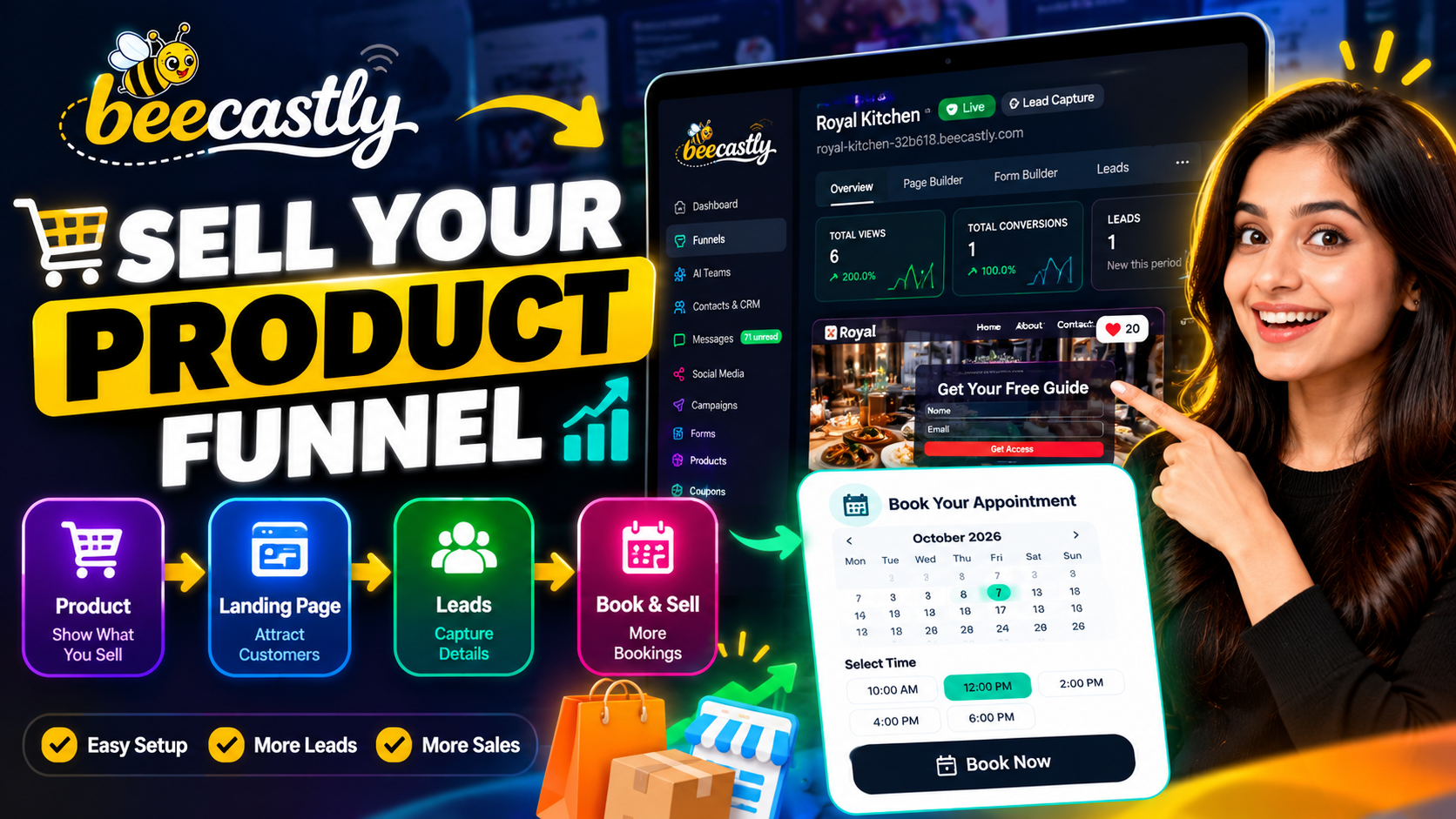
What Is a Sell a Product Funnel?
A Sell a Product Funnel is a dedicated sales page designed to showcase products and guide customers toward completing a purchase.
It brings together the essential elements of online selling, including product details, images, pricing, discounts, payment options, and checkout.
Whether you're selling physical products, digital downloads, or services, a well-structured funnel helps customers understand your offer and take the next step.
For example, a restaurant could use a product funnel to sell a signature dish or meal package. An online business could use one to sell an e-book, while a retailer could showcase physical products with prices, variations, and shipping options.
The goal is simple: make buying easier for your customers.
Why Does Your Business Need a Product Sales Funnel?
Customers often leave a website when the buying process feels confusing, the product information is incomplete, or the next step isn't clear.
A dedicated product funnel helps address these challenges.
1. Present Your Products Clearly
Give customers the information they need to make a decision. Use product images, descriptions, pricing, and key benefits to communicate what makes your offer valuable.
2. Make Pricing Easy to Understand
Display your selling price clearly and highlight discounts when applicable. Transparent pricing helps customers understand the offer before proceeding to checkout.
3. Simplify the Buying Journey
A clear call to action, such as “Buy Now” or “Order Now,” tells visitors exactly what to do next. Reducing unnecessary steps can make the purchasing experience easier to navigate.
4. Configure Checkout and Payments
Different products require different purchasing experiences. Physical products may need shipping details, while digital products may not require shipping at all. Your funnel should support the relevant options for your business.
5. Keep Your Brand Consistent
Your sales page should feel like a natural extension of your business. Consistent colors, typography, imagery, and messaging help create a more professional customer experience.
What Can You Include in a Sell a Product Funnel?
A successful product funnel combines several important elements to create a complete sales experience.
Product details: Add product names, categories, descriptions, images, and prices.
Discounted pricing: Display an optional discounted price alongside the original price to communicate savings clearly.
Product variations: Offer relevant options such as size, color, weight, or other selectable attributes when supported by your product setup.
Inventory management: Configure stock availability and quantity for products that require inventory tracking.
Shipping options: Choose the appropriate shipping method for physical products or select a digital delivery option where applicable.
Payment methods: Configure the payment methods supported by your setup, such as online payments through an available payment gateway or a collect-order-pay-later workflow.
Customer communication: Configure available email, WhatsApp, or SMS notifications to help you stay connected with customers.
AI assistance: Enable an AI assistant, when appropriate, to help answer visitors' questions using information from your funnel.
Brand customization: Personalize the page with your brand colors, visual style, and preferred design template.
These elements help bring the key parts of selling a product into one connected experience.
How to Create a Sell a Product Funnel Step by Step
Building a product sales funnel doesn't have to mean designing every page and configuring every component from scratch. With the right funnel builder, you can follow a structured setup process.
Step 1: Choose Your Goal
Start by selecting Sell a Product as your funnel goal. This establishes the purpose of the page and helps guide the rest of the setup.
Step 2: Select Your Business Type
Choose your industry, such as retail, restaurant, or another relevant business category. This gives the builder context for creating suitable content and layouts.
Step 3: Add Your Business Information
Enter your business name and any relevant details, such as your service area or WhatsApp Business number. These details can help personalize the content and customer experience.
Step 4: Describe Your Business
Provide a short description of your business, what you offer, and what makes your products valuable. Clear context helps AI-powered content generation produce more relevant results.
Step 5: Add Your Products
This is where your sales funnel starts taking shape.
Add your product name, price, category, product type, images, inventory information, variations, and description as needed. You can also configure discounts and the relevant shipping and payment options.
For example, a restaurant selling a signature dosa could add the product name, set its price, upload an appetizing image, and write a short description explaining what makes it special.
Step 6: Connect Your Business
Configure where order notifications should go and enable any supported communication channels you need. Depending on your setup, you can also connect products with your existing storefront.
Step 7: Configure an AI Assistant
If you want an assistant on your page, enable the AI assistant option. This can help visitors get answers to common questions based on the information available in the funnel.
Step 8: Define Your Audience
Identify the customer groups you want to reach. You can select relevant audience categories or add custom groups to help tailor your messaging.
Step 9: Customize Your Brand
Choose your primary color, visual style, logo, and preferred light or dark appearance. Use the live preview to see how your selections affect the page.
Step 10: Choose a Design and Preview Your Page
Select a starting template that matches your product and business. Review the generated page, check the product information and calls to action, and make any necessary adjustments before creating and publishing it.
Once the setup is complete, your product funnel can provide a dedicated destination where customers can explore your offer and proceed with their purchase.
How BeeCastly Makes Product Funnel Creation Easier
Creating an effective sales funnel involves more than putting a product image and price on a page. You also need to consider checkout, payment options, branding, customer communication, and the overall buying journey.
BeeCastly brings these elements into a guided, AI-powered funnel creation experience.
With BeeCastly's Sell a Product funnel, you can:
Start with a clear goal: Choose the Sell a Product funnel type and configure the experience around your objective.
Add your products: Set product details, prices, discounts, images, and relevant options.
Configure purchasing: Set up applicable shipping and payment preferences.
Personalize your page: Customize colors, visual styles, and templates to reflect your brand.
Preview before creating: Review your page layout and content before moving forward.
Connect customer communication: Configure available notification channels and optional AI assistance.
Instead of approaching every component as a separate task, you can work through a guided process that brings the main parts of your product-selling experience together.
Tips to Make Your Product Funnel More Effective
Creating the page is only the first step. How you present your product can make a meaningful difference in how customers respond.
Use High-Quality Product Images
Choose clear, relevant images that show the product accurately. For food, apparel, retail products, or digital offers, visuals should help customers understand what they're considering.
Write Benefit-Focused Descriptions
Don't just list features. Explain how the product benefits the customer and what makes it worth considering.
Keep Your Call to Action Clear
Use short, action-oriented button labels such as “Buy Now,” “Order Now,” or “Get Yours Today.” Make sure the button leads to the intended next step.
Make the Buying Process Transparent
Clearly communicate pricing, applicable shipping charges, available payment methods, and any relevant purchase conditions.
Check the Mobile Experience
Many customers browse and shop on their phones. Preview your page on mobile to ensure that text is readable, product images display correctly, and important buttons are easy to use.
Review the Entire Journey Before Publishing
Test the product selection, checkout flow, payment configuration, notifications, and confirmation experience. A visually appealing page still needs a functioning purchasing journey.
Improve Based on Performance
After publishing, review available analytics and customer feedback. Use what you learn to improve product presentation, clarify confusing sections, and refine your offer.
Who Can Benefit from a Sell a Product Funnel?
A product sales funnel can support many types of businesses.
Retail businesses: Showcase physical products with images, prices, variations, and shipping options.
Restaurants and food businesses: Promote signature dishes, meal packages, or other products.
Digital creators: Present digital products, educational resources, or downloadable materials.
Small businesses: Create a focused sales page without having to build an entire e-commerce website first.
Service providers: Present eligible services with clear descriptions and relevant purchasing or booking options.
The exact setup depends on the product, the business model, and the payment and delivery options available.
Ready to Turn Your Product into a Selling Experience?
Your product deserves more than a basic listing. It needs a clear presentation, understandable pricing, a smooth purchasing journey, and a page that reflects your brand.
A Sell a Product Funnel helps bring these pieces together so customers can move from exploring your offer to taking action.
With BeeCastly, you can follow a guided setup process, add your products, configure the relevant purchasing options, customize your page, and preview the result before publishing.
Ready to build your product sales funnel?
Explore BeeCastly and discover a simpler way to bring your products online.
Build your page. Showcase your products. Make buying easier.
Comments (0)
No comments yet. Be the first to share your thoughts!